Exceptional cartography. Natural planning.
Aeronautic is a stunningly beautiful new flight app for aviators and aviation enthusiasts. It starts with exceptional cartography and mind bending weather displays, plus some essentials we miss like a smart stop planner, door-to-door trip assistant, active and standby flight plans on the map, and more.
A refreshing take from the co-founder of ForeFlight and CTO of FlightAware. Made possible by the advancements in agentic engineering and next generation, best in class mapping technology. In partnership with Natural Atlas, makers of the Natural Engine.
Climb aboard the beta.
We add pilots a few at a time so we can read every piece of feedback. Sign in with Apple to take a place in line.
Charts that feel like paper.
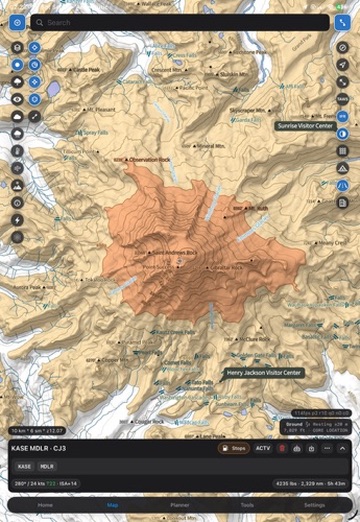
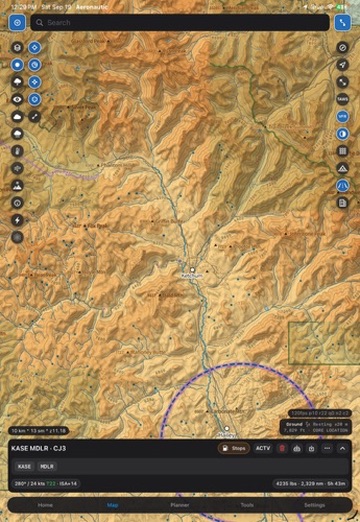
We've dreamed of digital charts like this. Classic VFR sectional and IFR enroute texture, drawn live at every zoom, with terrain, hypsometric tint, satellite imagery, and airspace all sharing one renderer. It's come true.
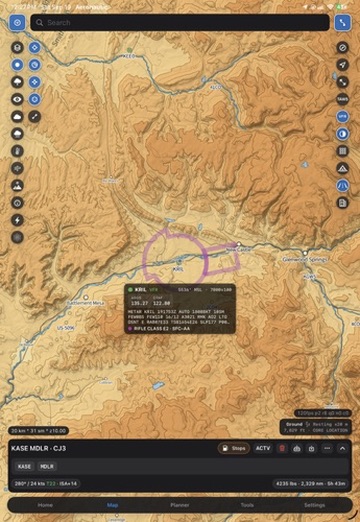
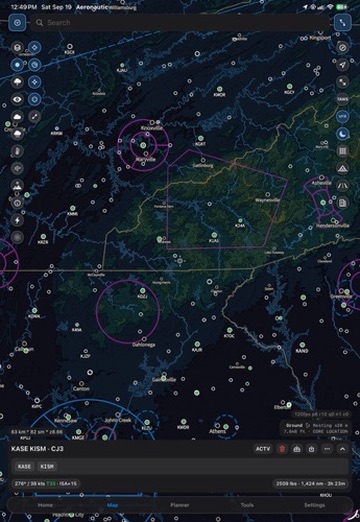
A breakthrough in digital cartography.
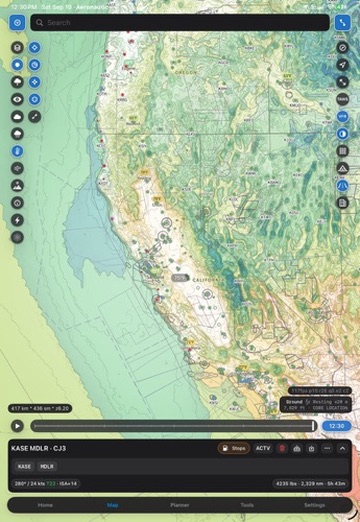
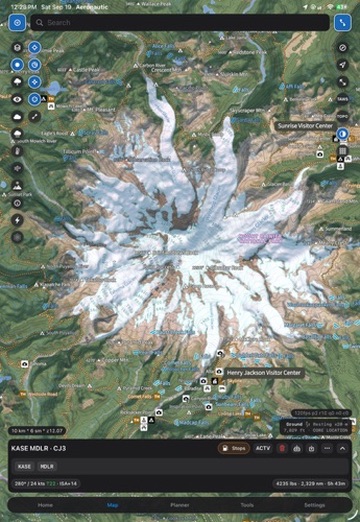
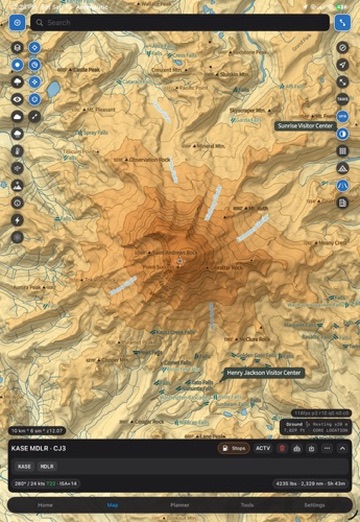
Fast terrain awareness
Terrain colors against your altitude and updates as you change it. Red is where you cannot go, and it appears instantly at any zoom.
Imagery on the same canvas
Satellite, hypsometric, and chart layers cross-fade without a reload or a mode switch.
Labeled where it matters
Peaks, obstacles, and landmarks carry real labels at scale, not just at the zoom a tile server decided on.
Every grid you need to reference.
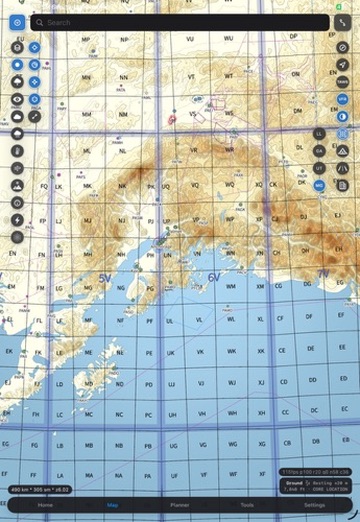
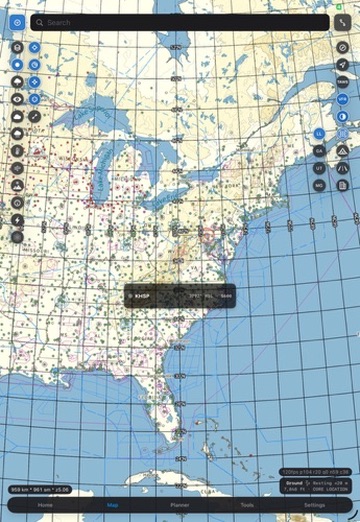
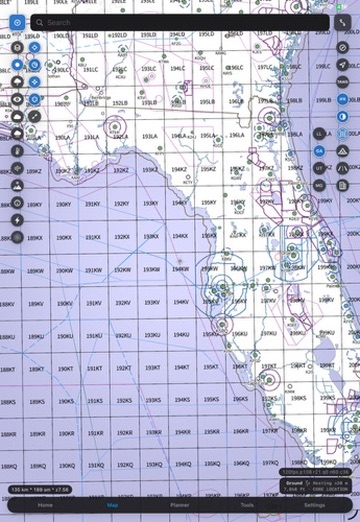
Latitude and longitude, GARS, UTM, and MGRS overlay any chart at any scale, labeled and legible rather than dropped on as a graphic. Read a cell, call a position, hand it to someone on the ground.
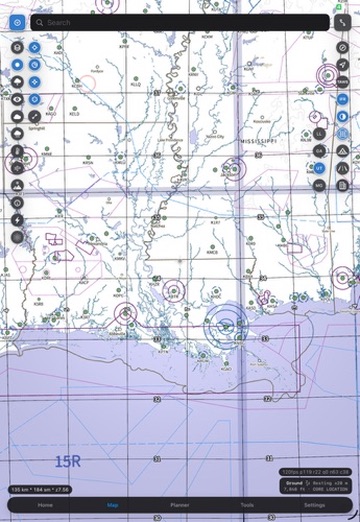
Terrain awareness, instantly.
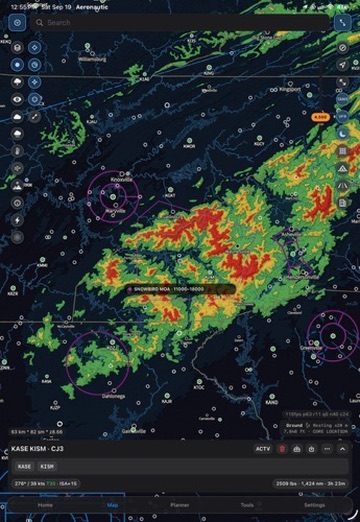
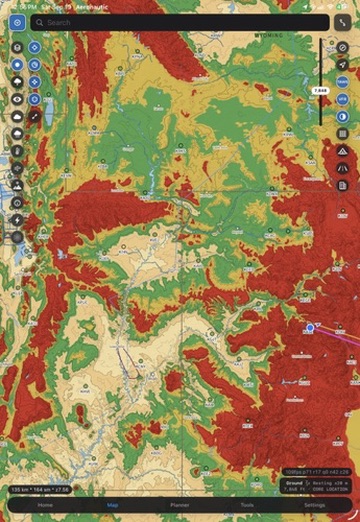
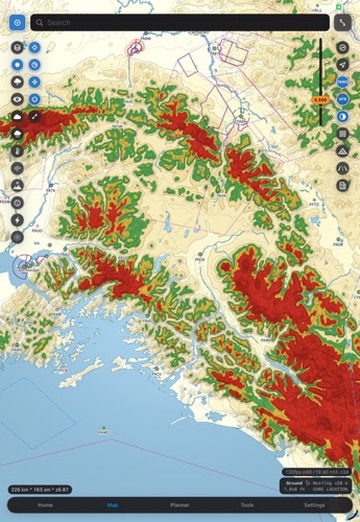
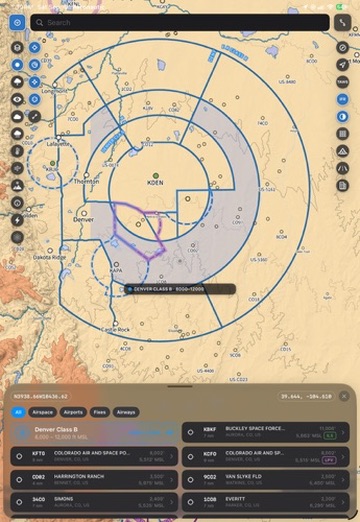
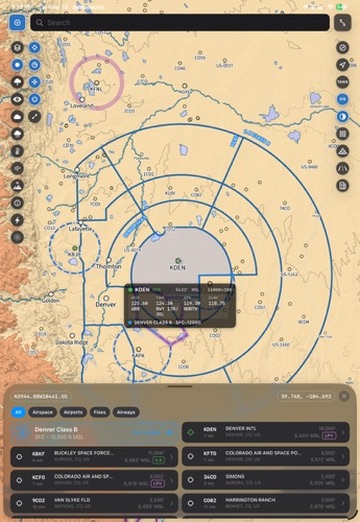
Point the reticle. Read anything on the map.
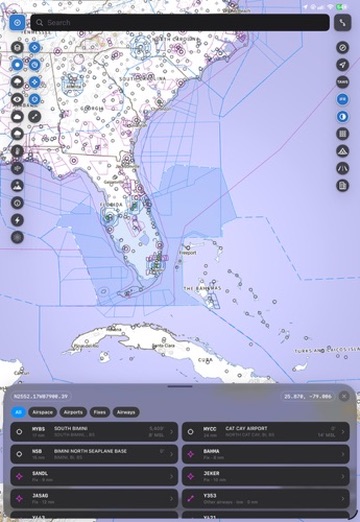
Run the targeting reticle anywhere on the chart and everything under it resolves: airspace with floors and ceilings, nearby airports with distance and elevation, fixes, airways, and the weather at that exact coordinate. No tapping around to find out what you are looking at.
Filtered as you go
Airspace, airports, fixes and airways each have their own tab, so the list stays short.
Coordinates, always
The reticle reads out lat and lon continuously, ready to copy or hand off.
Works over any layer
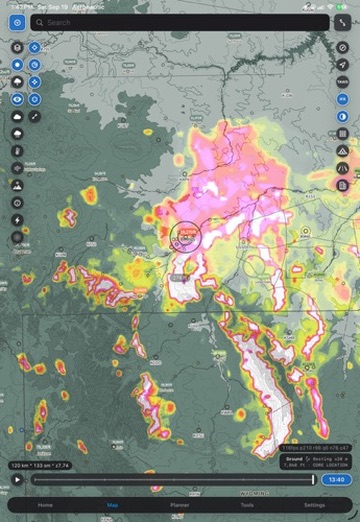
Chart, imagery, terrain or an active weather layer. The lookup does not care what is underneath.
A weather stack deep enough to actually make the call.
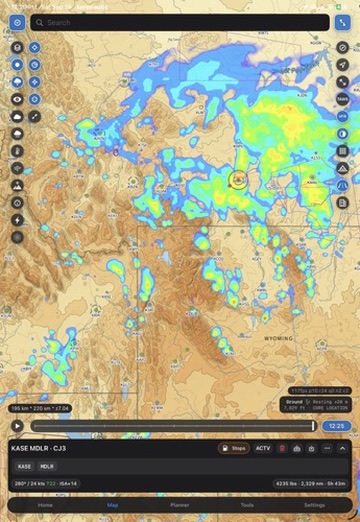
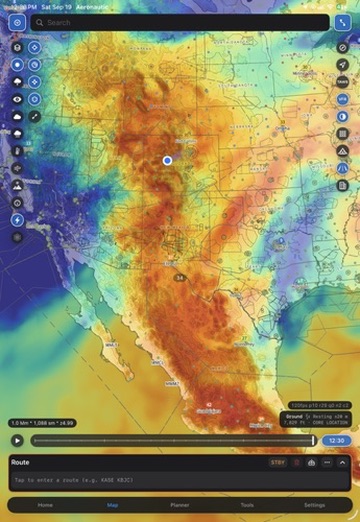
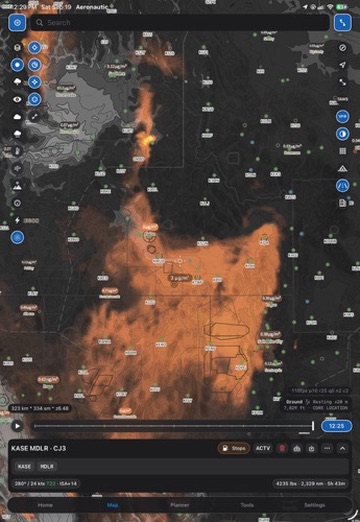
Every layer animates on a shared timeline and composites over whichever chart you are already reading. Scrub forward, watch the system move, and decide.
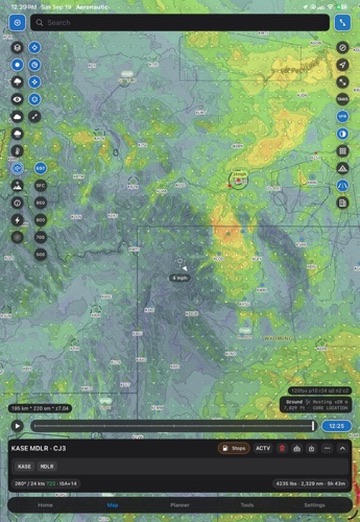
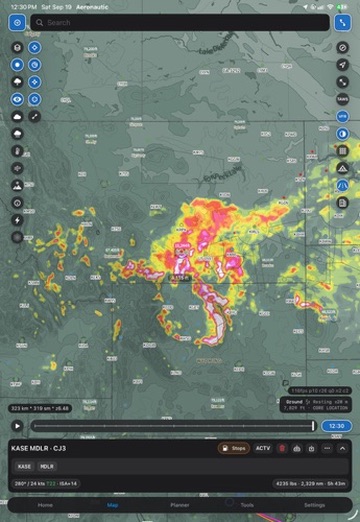
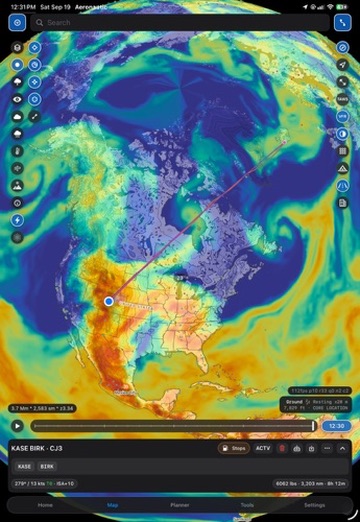
- Radar reflectivity
- K index
- Smoke
- Wind
- Wind gust
- Visibility
- Cloud ceiling
- Cloud base
- Freezing level
- Precipitation
- Accumulated precipitation
- Temperature
- Apparent temperature
- Dewpoint
- Marine layers
- Surface pressure
- Atmospheric pressure
- Moisture
- Agricultural
- Advanced topography
Plan on the map, not in a form.
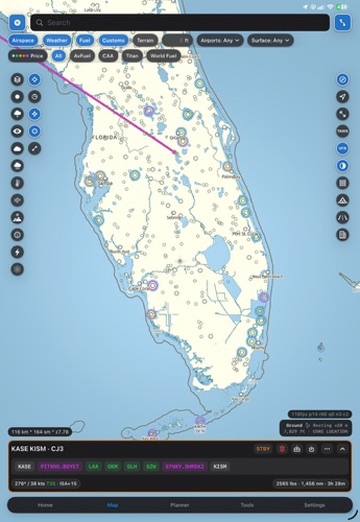
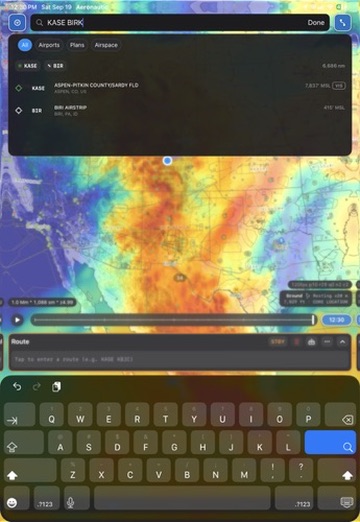
Routing, stops, procedures, and transitions are all direct manipulation. Two flights can sit on the chart at once so you can compare them the way you actually think about them.
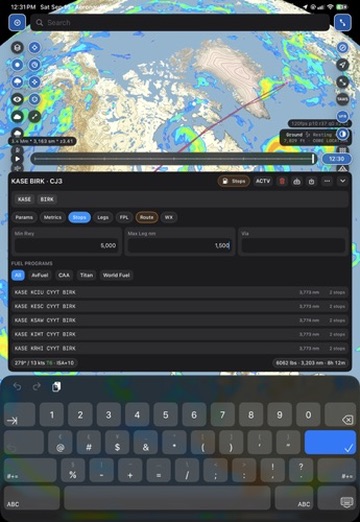
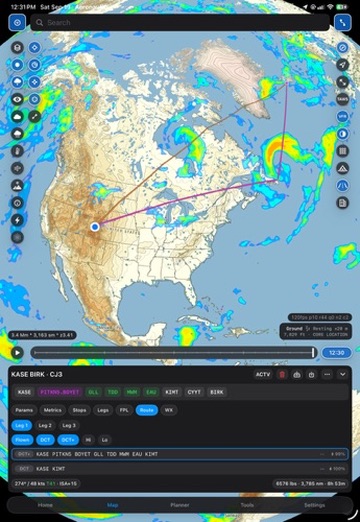
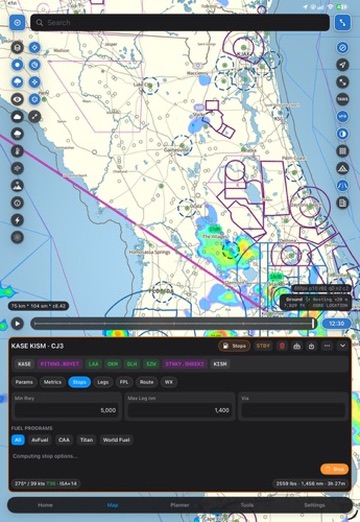
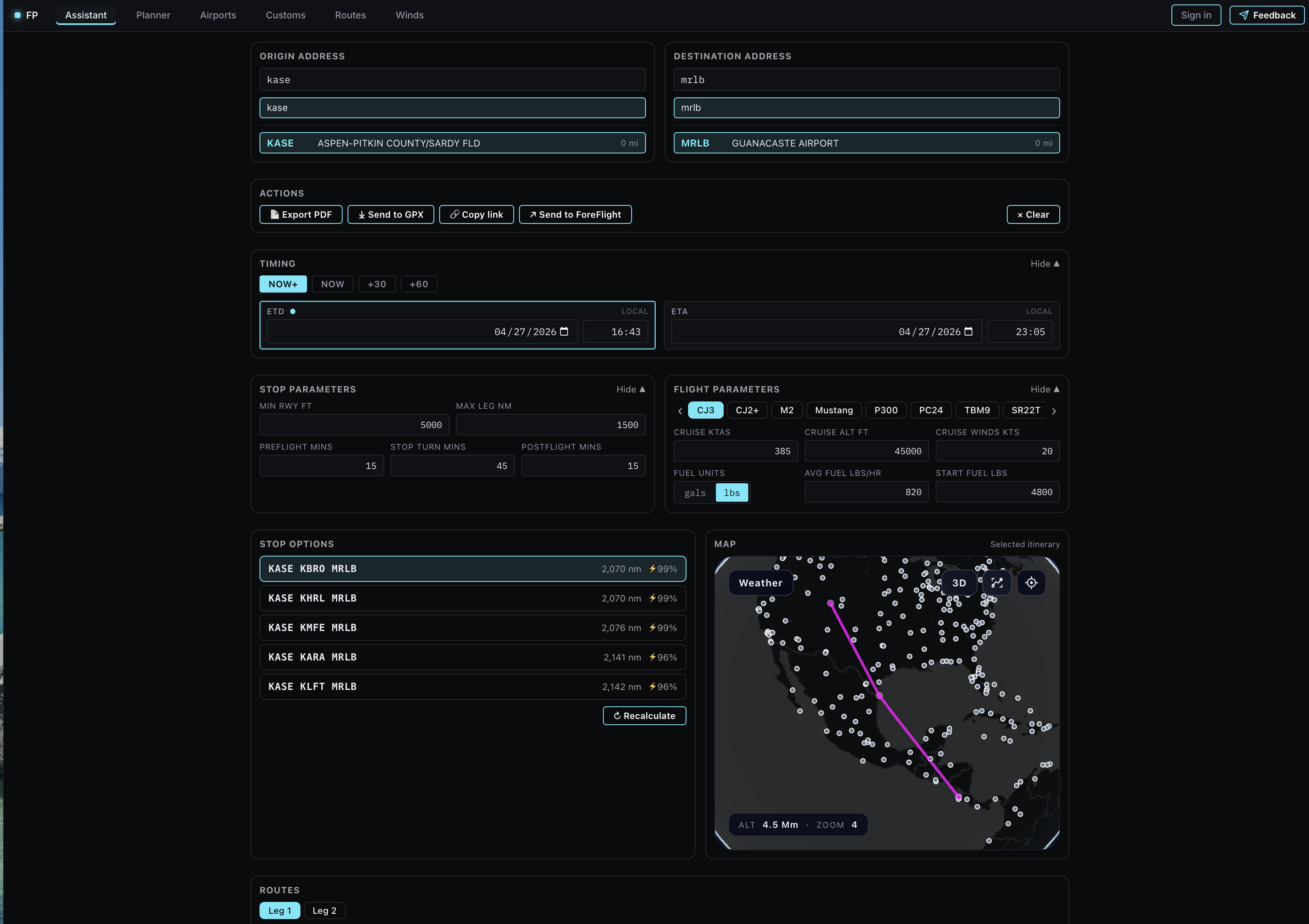
Stop finding that ranks the whole field
Set minimum runway, max leg, turn time, and a fuel program. Candidate stops come back scored, with distance and reachability, ready to drop into the route.
Procedures previewed on the chart
Pick a departure or arrival and see it drawn before you commit. Transitions are a second tap, and the route updates in place.
Touch planning
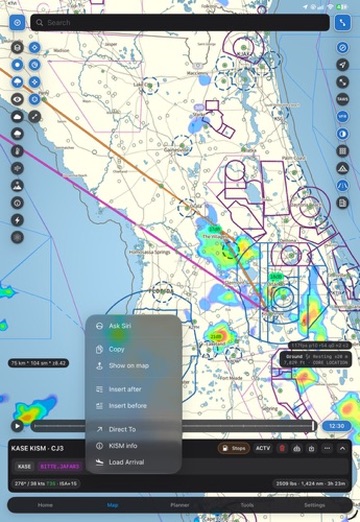
Long-press any fix for insert before, insert after, direct to, airport info, or load arrival. No modal, no page change.
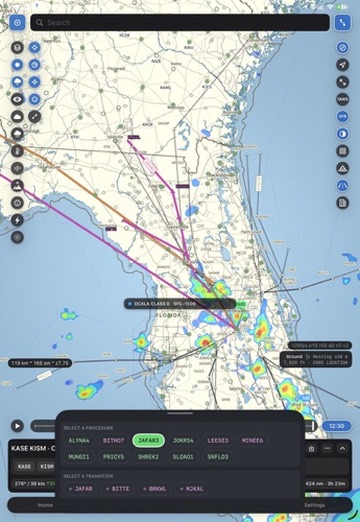
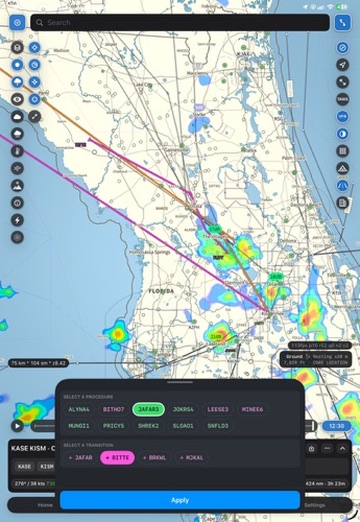
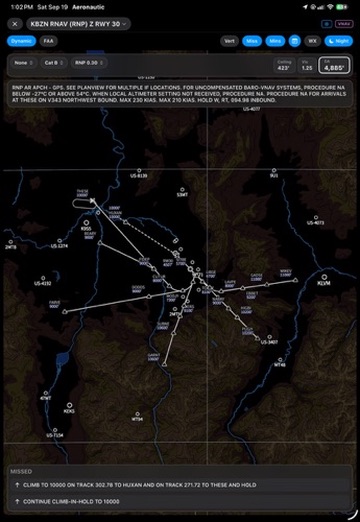
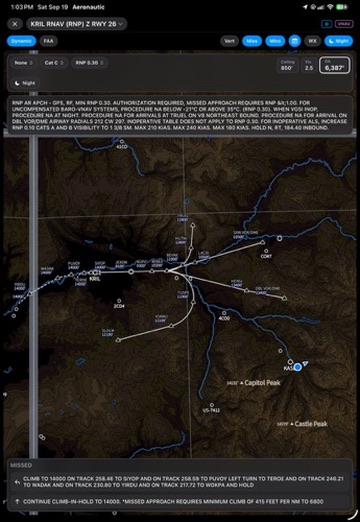
Dynamic terminal procedure charts.
Approach, departure, and arrival charts are reconstructed as structured data by an ontological neural network rather than scanned as pictures. The plate becomes something the app understands: the procedure can be drawn on the map, filtered to the transition you selected, and rendered at any size without going soft.
It is the clearest demonstration of what the rest of the app is built on, and it is why previewing a procedure before you load it is possible at all.
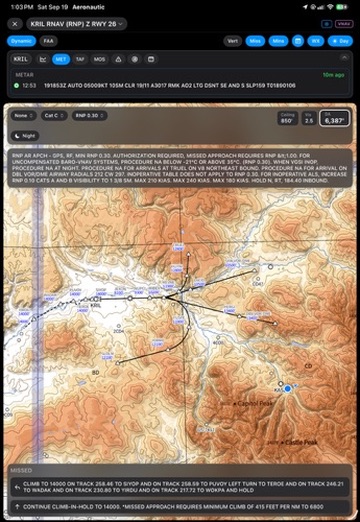
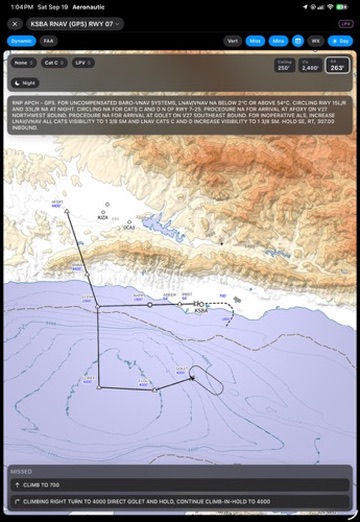
Airport information, rebuilt around the way you read it.
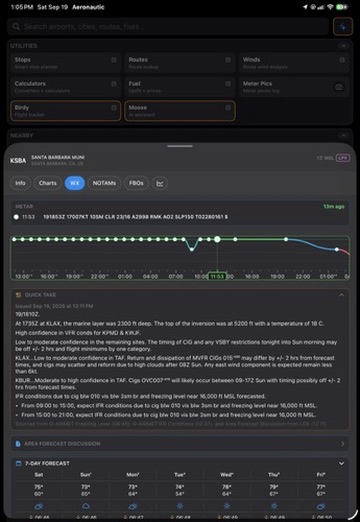
Info, weather, NOTAMs, and FBOs on one sheet. Compact, colorful, and dense in the places density helps. The weather cards decode themselves: conditions plotted on a timeline, flight category by the hour, hazards written out in plain language with their sources named.
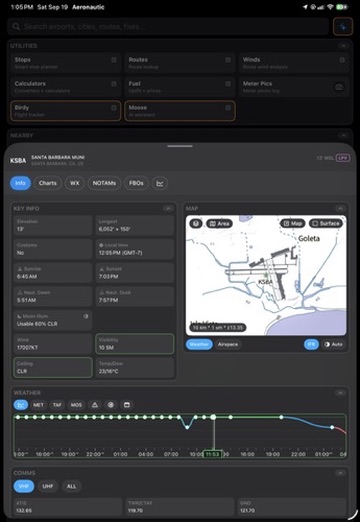
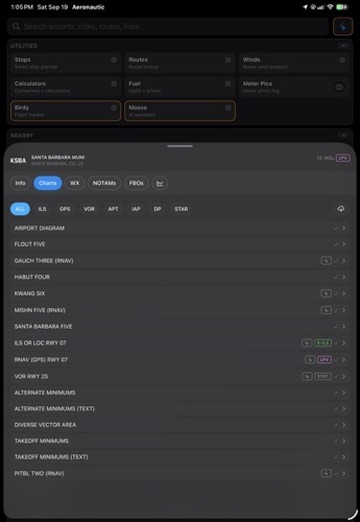
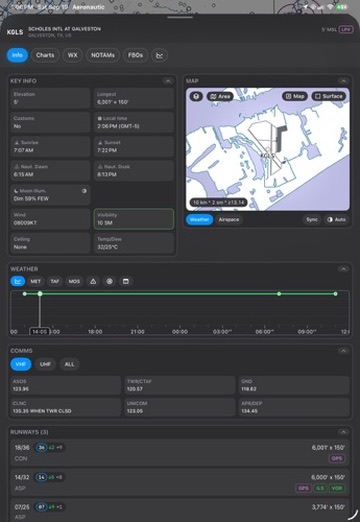
Condition timeline
One strip from yesterday through tomorrow, colored by flight category, scrubbable to any hour.
Hazards in plain language
Turbulence, IFR, mountain obscuration, and freezing level written out, each traced back to the G-AIRMET or discussion it came from.
Nearby weather inline
Surrounding stations sit right under the field, category-dotted, one tap away.
The answer before you open the app.
A widget library for the things you check constantly: nearby conditions, your frequent fields, the seven day outlook, and the state of the flight plan you are about to fly. Small sizes stay legible; large sizes carry the whole briefing.
Nearby
Closest reporting stations with flight category and wind, sorted by distance.
Frequent
The fields you actually use, current conditions at a glance.
Seven day
The week ahead for home base, in the same colors as the app.
Flight plan
Route, times, fuel, and the weather along it, live.
The planning utilities, still on the web.
The browser-based assistant remains available for the work that is easier at a desk: stop and fuel optimization across long itineraries, customs, route lookup, and winds. Plans hand off to the app and to third-party EFBs.